BraForMe Rewards
Step 1
Account Activation
Before you can start redeeming points, referring your friends and earning rewards you will need to set up a BraForMe account!
Follow These Simple Steps:
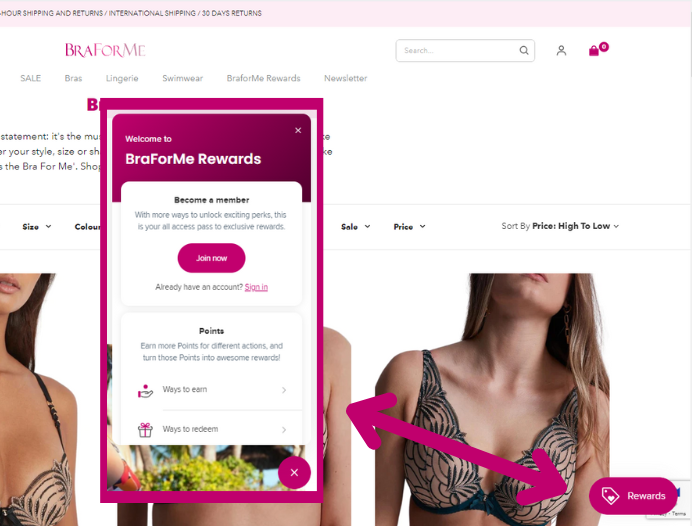
- Click on 'Rewards' in the bottom right corner.
- Click 'Join Now,'
- Enter your details and 'Create My Account.'
- Check your emails for a 'Customer Account Confirmation' message.
- Woohoo! You're ready to start earning and sharing.
Step 2
Your Profile
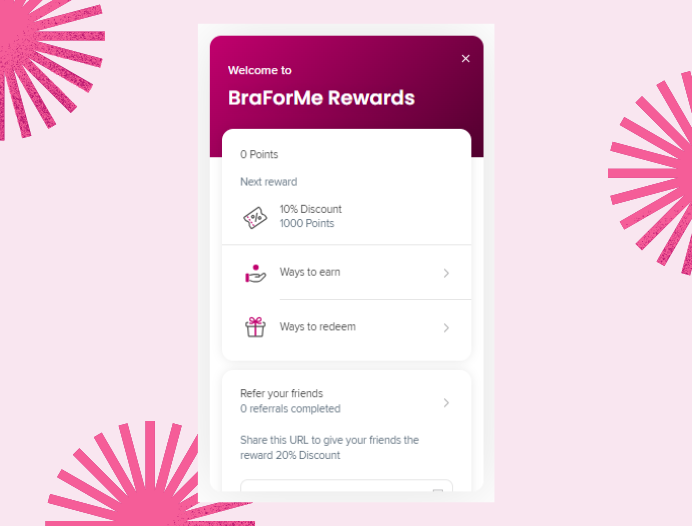
- Click on 'Rewards' in the bottom right corner. This is your Rewards Profile.
- You can see what rewards you've earned, different ways to earn or redeem and the option to refer your friends.
- If you can't see your points, simply sign in with your BraForMe Account Details.
Step 3
Ways to Earn / Redeem
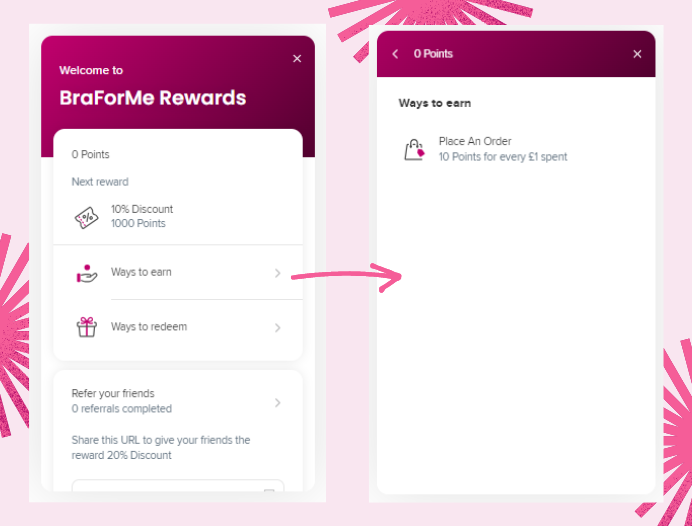
- Click 'Ways to Earn.'
Every time you Place an Order with us, you will earn 10 points for every £1 spent
So a £50 order = 50 x 10 = 500 Points
- Click ‘Ways to Redeem.’
If you have created an Account and earned 1000 points, you will recieve an email with a 10% discount code for your next order (Applies to orders over £30)
Each time you Earn Points, Redeem a Reward or Refer a Friend, you’ll receive email notifications.
Step 4
Refer a Friend and you'll both get 20% off!
- On your Rewards Profile. Click ‘Refer your friends.’
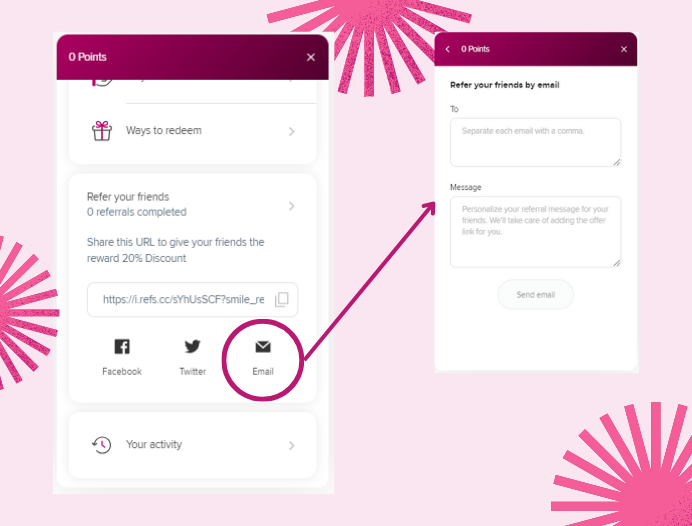
You can either Copy and Send the link provided. Share via Facebook, Twitter or Email. We recommend Copying the link and sending it directly, or popping them an email with a personalised message.
- Click the ‘Email’ Icon.
- Enter an Email or multiple Emails, separated with commas.
- Add a personalised message in the bottom box.
- Press ‘Send Email’
As simple as that! Your friend will now receive an email with a 20% off code for their first order! Once they have placed an order with this code, you will receive an email with 20% off your next order* as a reward for referring them… Winner!
*Applies to orders over £30